Everything the people who make Sunday happen need. Nothing they don't.
Commons is built for volunteers, team leads and staff. Here's what's inside, with real screens from a church on it.
Sundays
Plan the service in one place.
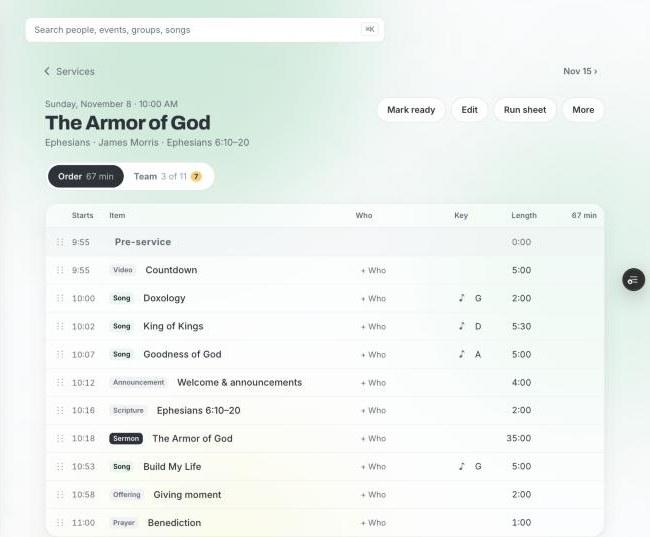
Every Sunday is one page: the order of service with run times and keys, and the team for that day. Staff plan it, the band and tech see it, and the run sheet follows along live.
- Order of service with start times, keys, lengths and who's on each part
- Songs from your library with charts and CCLI numbers attached
- Start next Sunday from last week or a template in one tap
- A run sheet everyone follows on a tablet, driven by whoever's running the room
Replaces your service planning tool
Volunteers
Fill the schedule without the group text.
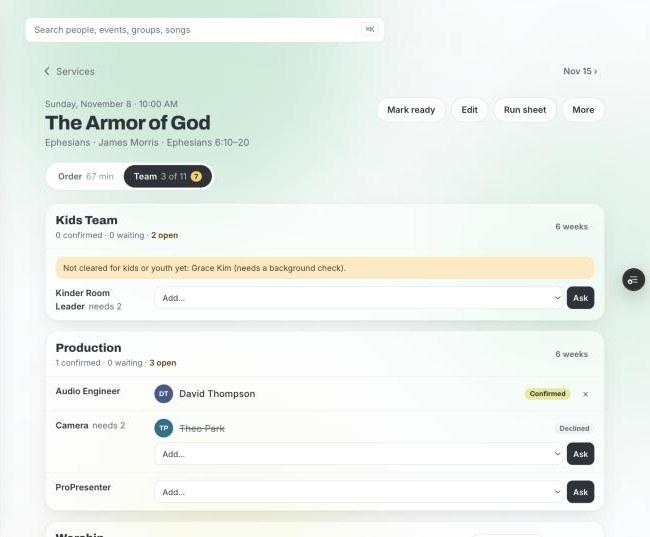
See every position for the Sunday, ask the right people, and watch the confirmations come in. Volunteers answer from their phone, find their own sub, and block out the dates they're away.
- Every team and position for that Sunday with who's confirmed, waiting or declined
- Suggestions that skip people who are away, double-booked, or not cleared to serve with kids
- One-tap reminders to everyone who hasn't answered
- A six-week view by team for planning ahead
Replaces scheduling spreadsheets and reminder texts
Staff workspace
Meetings that end with action items.
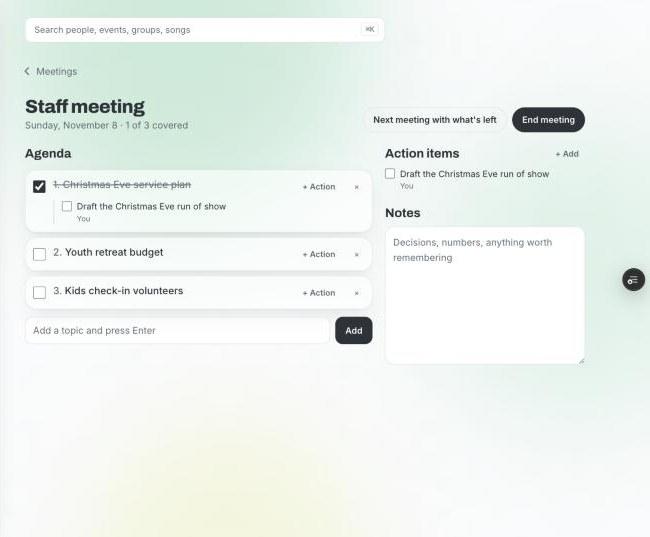
A shared agenda you cross off as you go. Anything that needs a follow-up becomes an action item on someone's dashboard, so it doesn't live on a whiteboard until next week.
- Live agenda everyone in the room sees update
- Action items assigned to a staff member with a due date, landing on their Today page
- Notes that save as you type and carry forward
- Boards, a staff calendar and reports alongside
Replaces the whiteboard and the follow-up email
Today
What needs you, before anyone asks.
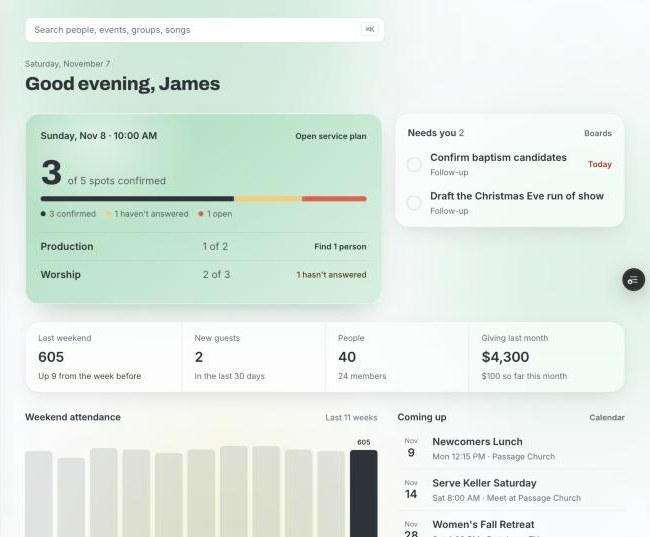
Staff open one page and see this Sunday's team, what's open, what's waiting on them, and how the weekend went. No digging through five tools to find out.
- This Sunday's spots: confirmed, waiting, open, by team
- Needs you: follow-ups, action items and board cards with your name on them
- Attendance, new guests and giving at a glance
- What's coming up this week
Replaces the Monday morning catch-up
Care
Nobody falls through the cracks.
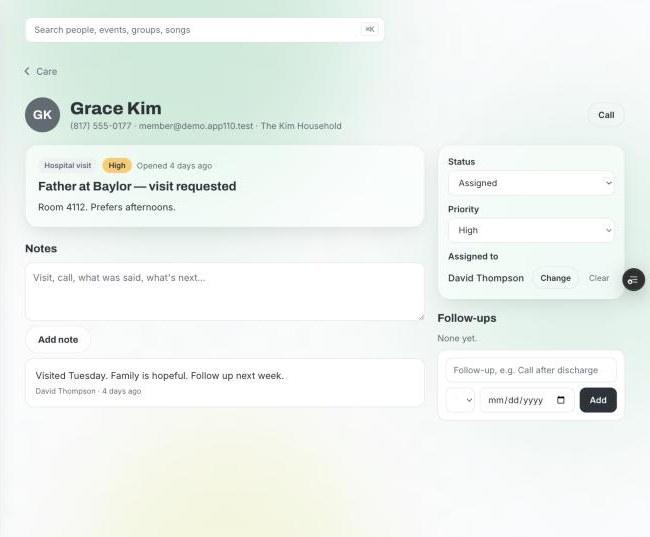
Hospital visits, meals, prayer, a hard season. Log it once, hand it to the right person, and keep the notes and follow-ups in one confidential place.
- Assign a request to anyone on staff or a trusted volunteer, not only the care team
- Whoever has it sees just that request: notes, call and text buttons, their follow-ups
- Priority and status so the urgent ones surface
- Confidential by default; only the care team and the person assigned can see it
Replaces the pastor's notebook
Kids
Check-in that's fast at 9:55.
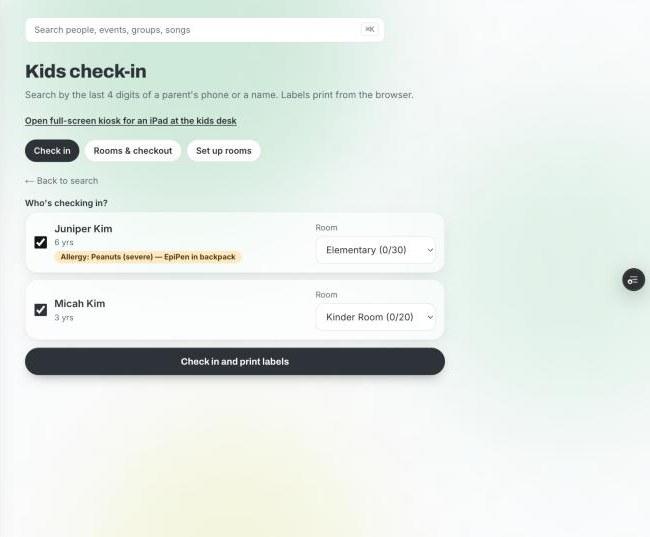
Search by the last four digits of a phone, tick the kids, print the labels. Allergies show the people who need to see them and no one else.
- Check in from any phone or tablet, or a full-screen kiosk at the kids desk
- Name tags and pickup codes print from the browser
- Rooms with capacity, so you know when the nursery is full
- Pre-registration families fill out on their own phone before Sunday
Replaces the check-in machine and the clipboard
Groups and classes
Leaders run their own group.
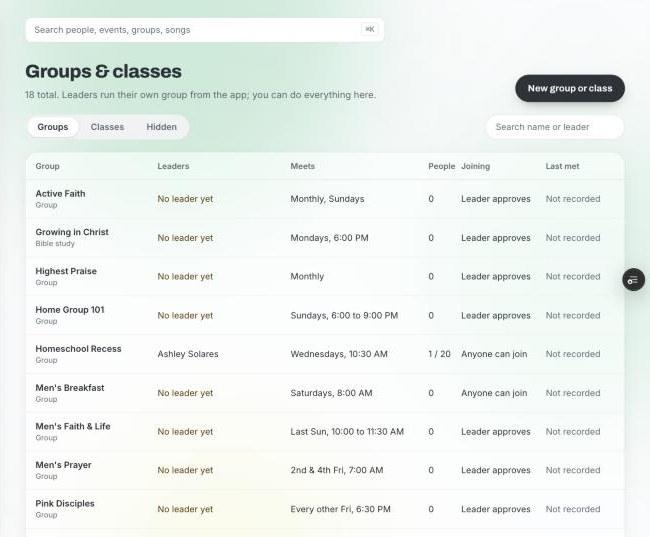
Small groups, classes and studies with a leader who approves members, takes attendance and posts to the group from the app. Staff see all of it in one list.
- Open, request-to-join or closed groups
- Leaders take attendance and message their group
- Classes with start and end dates
- Every group and class on one staff page with leaders, schedule and last met
Replaces the groups spreadsheet
The app
One app every volunteer actually opens.
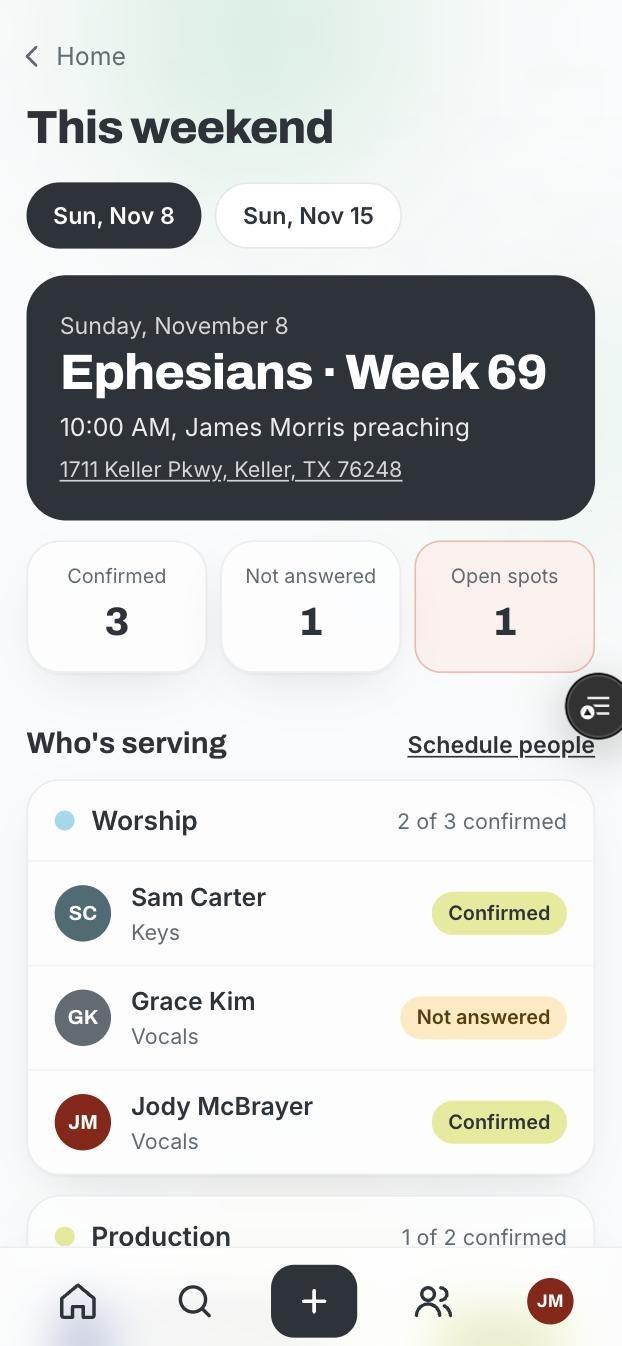
Home shows this Sunday and what's yours to do. Teams have their own private pages for posts, stories and chat. Giving, prayer and kids registration are a tap away.
- This weekend: your call time, your position, the order of service
- Serving requests you answer with one tap, and swaps you can take
- Private team pages with posts, stories and chat
- Push notifications for the things that are yours
Replaces the group chat nobody can find anything in
Try it with your real team.
Every church starts with 30 days of everything, no card needed. Import your people from Planning Center, CCB or a spreadsheet and plan next Sunday in it.